

App Clipping Campaigns
App clipping campaigns put your product into the feed as creator-posted clips across TikTok, Instagram Reels and YouTube Shorts: screen recordings, outputs, demos and founder videos, timed to launches and feature drops. Clipping Culture reviews every submission and reports verified views. Cheater Scanner reached 24.3M views this way.


10B+ views generated for brands.
535K+
Clippers in the network
147
Published case studies




Higgsfield AI
Kittl
LinkMe
Trimz AI
Higgsfield AI

BitLife
Cheater Scanner
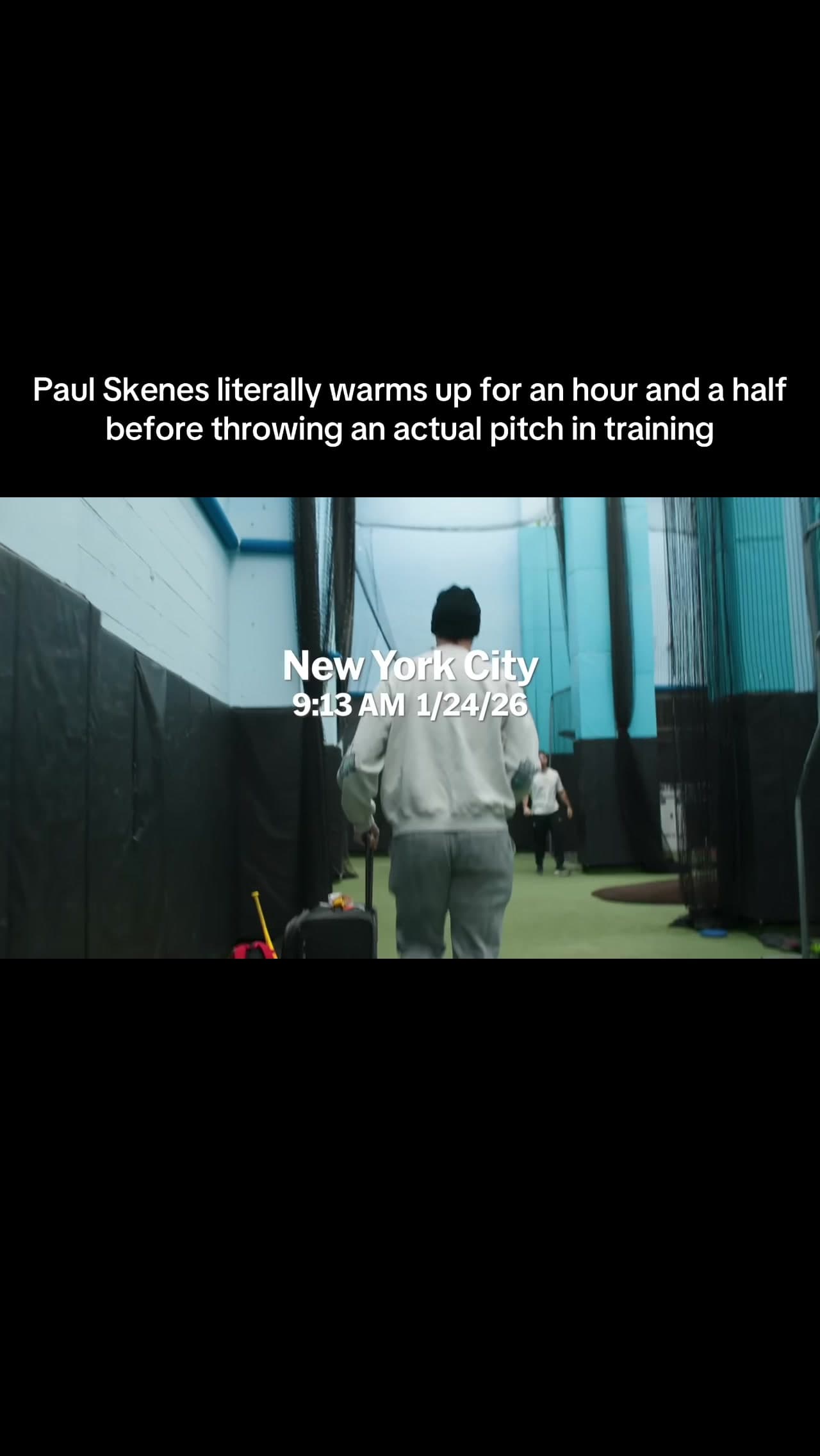
MLB
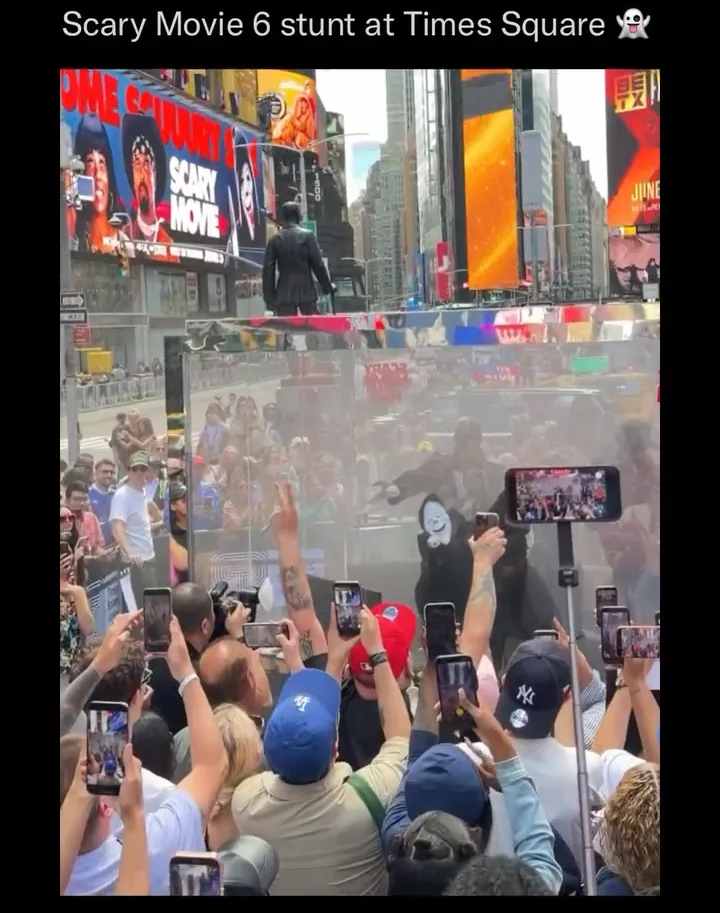
Scary Movie
Anna (2019)

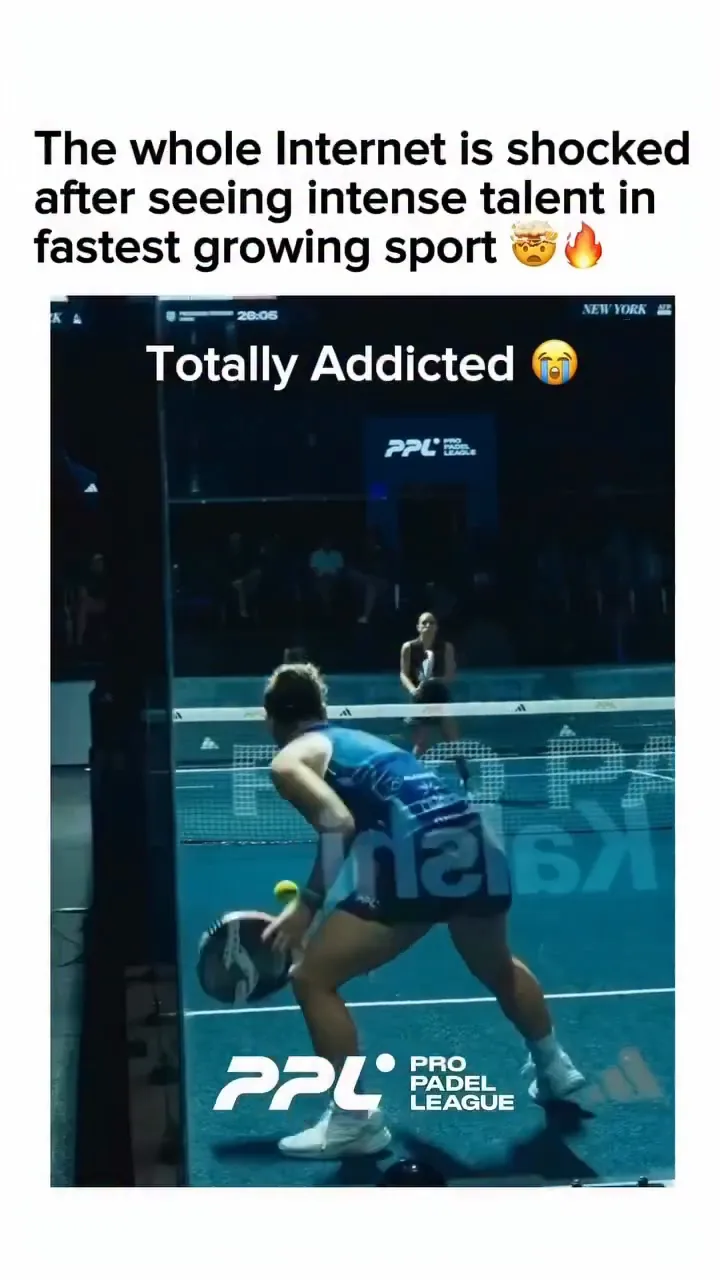
Pro Padel League
Dracula: A Love Tale

Dhar Mann
MLB
What is an app clipping campaign?
An app clipping campaign gives participating clippers approved footage of a product, such as screen recordings, outputs made with the app, demos or founder videos, plus rules for what they can post and say. They cut it into native clips, post them from their own accounts and submit them for review. Views are counted and reported against one target.
An app ad is one creative tested in an auction. A clipping campaign puts hundreds of separate demos, outputs and reactions into the feed, posted by clippers from a network of hundreds of thousands. For an AI product, the output is often the clip: a video, an image or an answer that people stop to watch.
Views generated across campaigns
Clippers in the network
Published case studies
Campaigns for AI products, consumer apps, design tools and launches
The same campaign model shows what an AI product makes, puts a consumer app in front of new users, demos a tool or carries a launch.
AI products
The output is the clip.
AI products
Clippers post what the product makes. Higgsfield AI’s campaigns reached 94.3M views from 3,289 posts across 10 campaigns.
- Outputs and showcases
- Model and feature launches
- Reviewed before views count
Consumer apps
A result people can see on screen.
Consumer apps
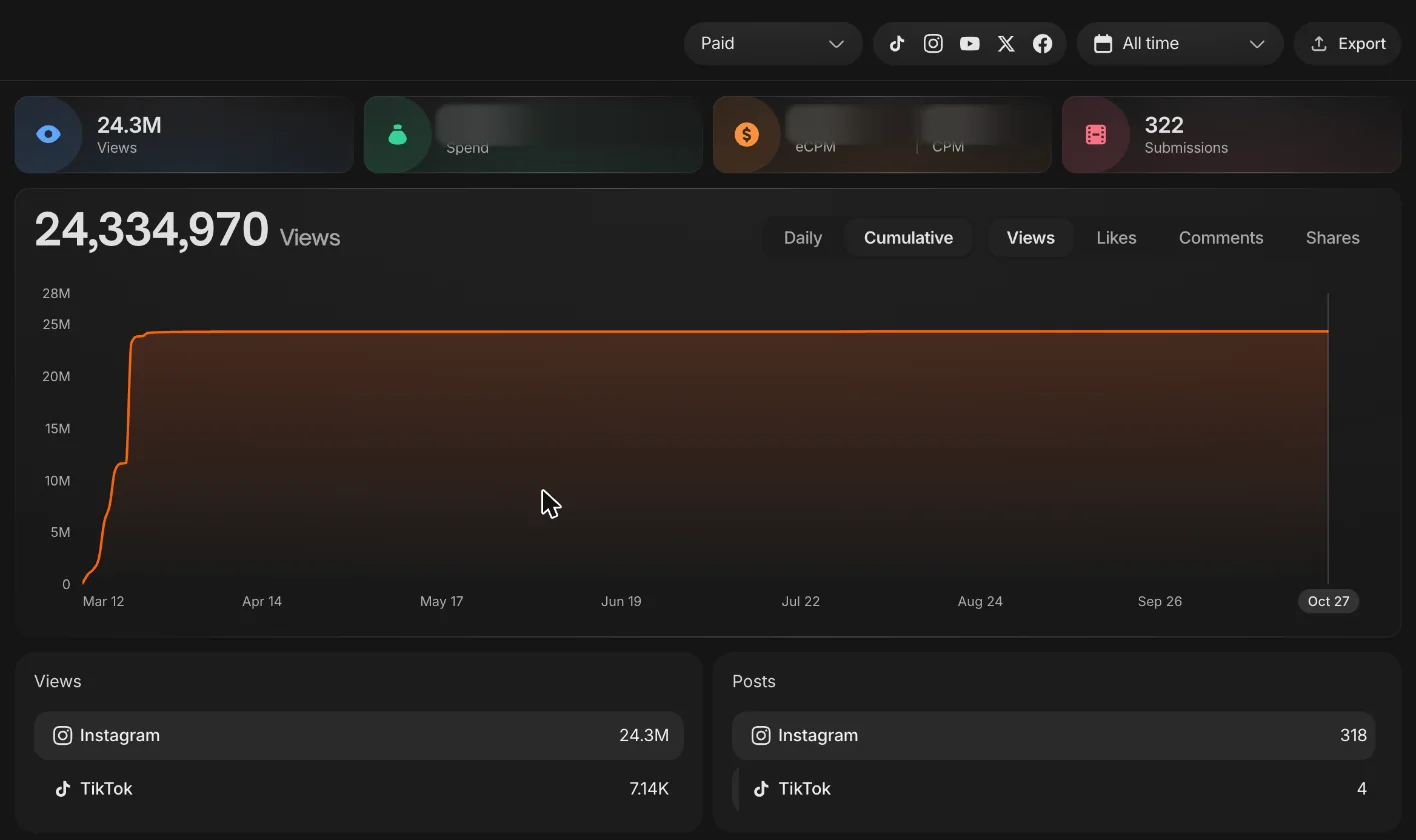
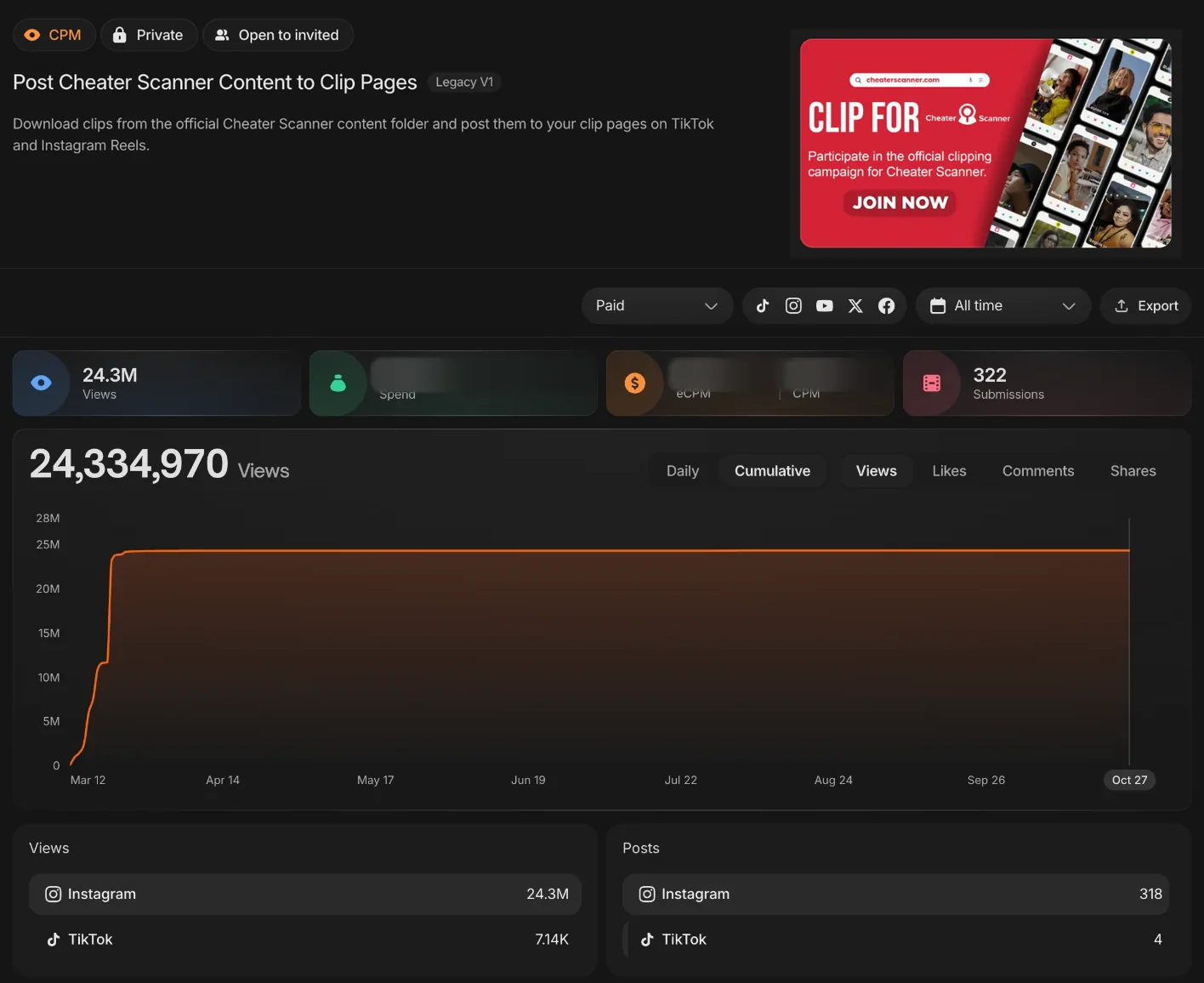
Clippers show the app doing its job. Cheater Scanner reached 24.3M views from 322 posts on Instagram and TikTok since March 12.
- Screen recordings and results
- Claim rules set before launch
- Waves timed to growth goals
Design and creative tools
From design to finished asset, in one clip.
Design and creative tools
Tools show the before and after. Kittl’s AI video ad campaign reached 1.9M views from 88 Instagram posts since May 5.
- Before and after footage
- Template and workflow demos
- Captions written for creators
Launches and feature drops
A new feature in the feed the week it ships.
Launches and feature drops
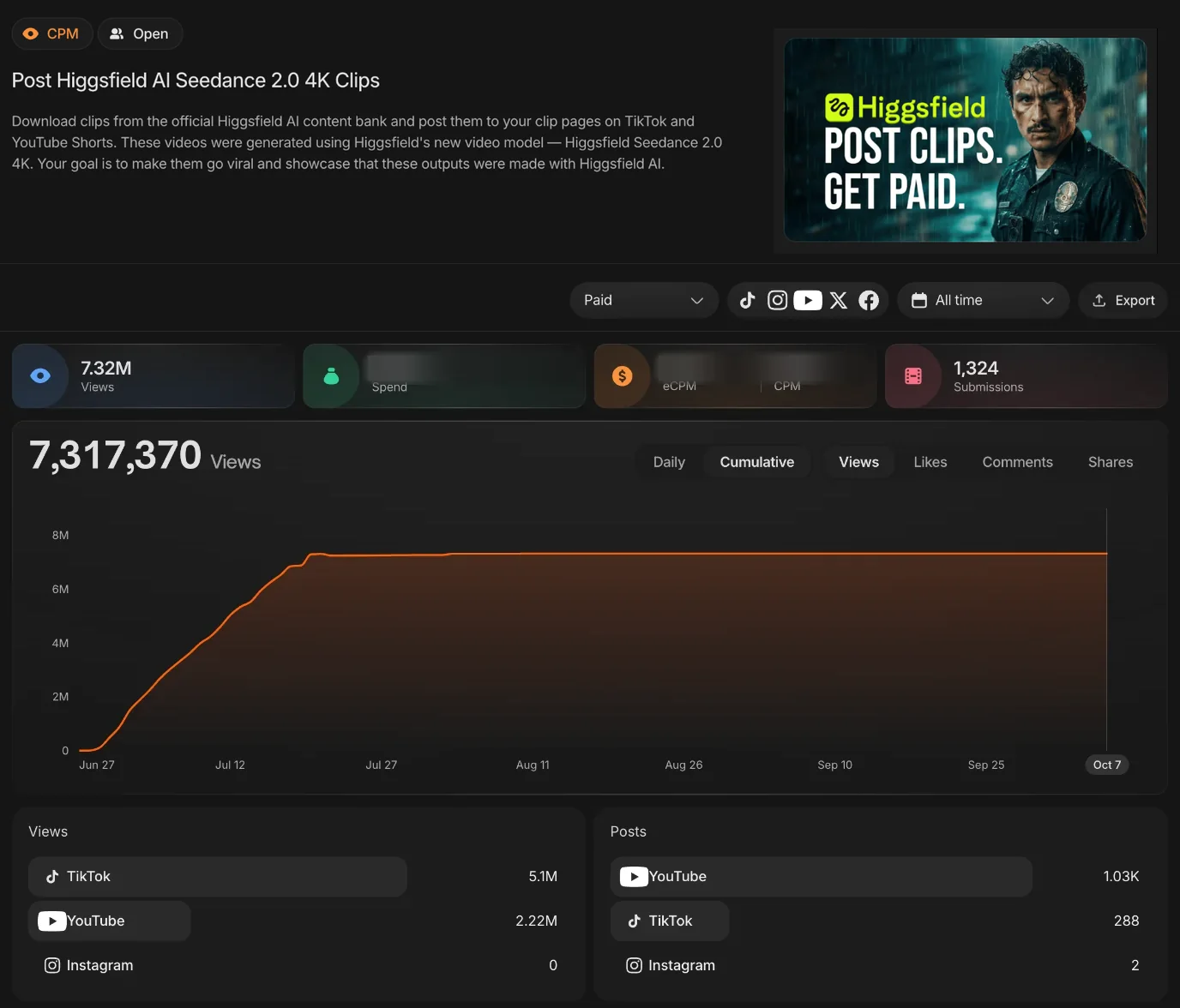
A launch needs reach the week it ships. Higgsfield AI’s Seedance 2.0 4K clips reached 7.3M views from 1,324 posts on YouTube, TikTok and Instagram since June 27.
- Launch-week waves
- Feature-by-feature footage
- Verified views per wave
How an app clipping campaign works
The campaign defines the approved footage and the rules, participating clippers cut and post demos, and Clipping Culture verifies eligible delivery.

Before launch
Approve the footage

In the feed
Clippers cut and post demos

Verified delivery
Verify and report
Every app campaign, tracked on a live dashboard
Each app campaign runs on its own Whop Content Rewards dashboard. Views are tracked by platform and by post, and only submissions that pass review count toward the target.
Cheater Scanner
Cheater Scanner reached 24.3M views from 322 posts on Instagram and TikTok since March 12, nearly all of it on Instagram Reels.
- A consumer app, shown doing its job
- Daily and cumulative views for each wave
- Views and posts split by platform
Higgsfield AI, “The Cully Hill Boys”
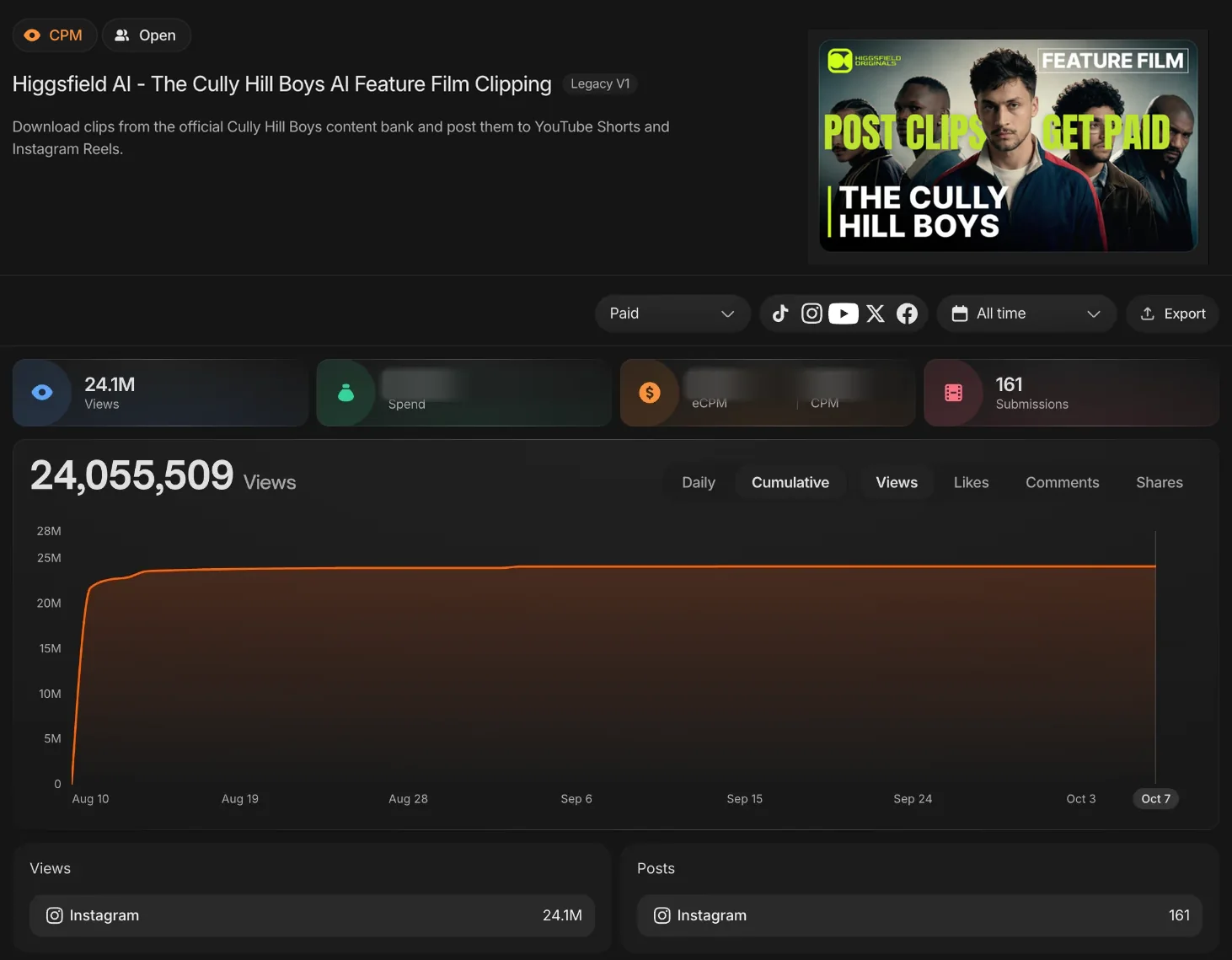
24.1M views from 161 Instagram posts since August 10.
Higgsfield AI, “Hell Grind”
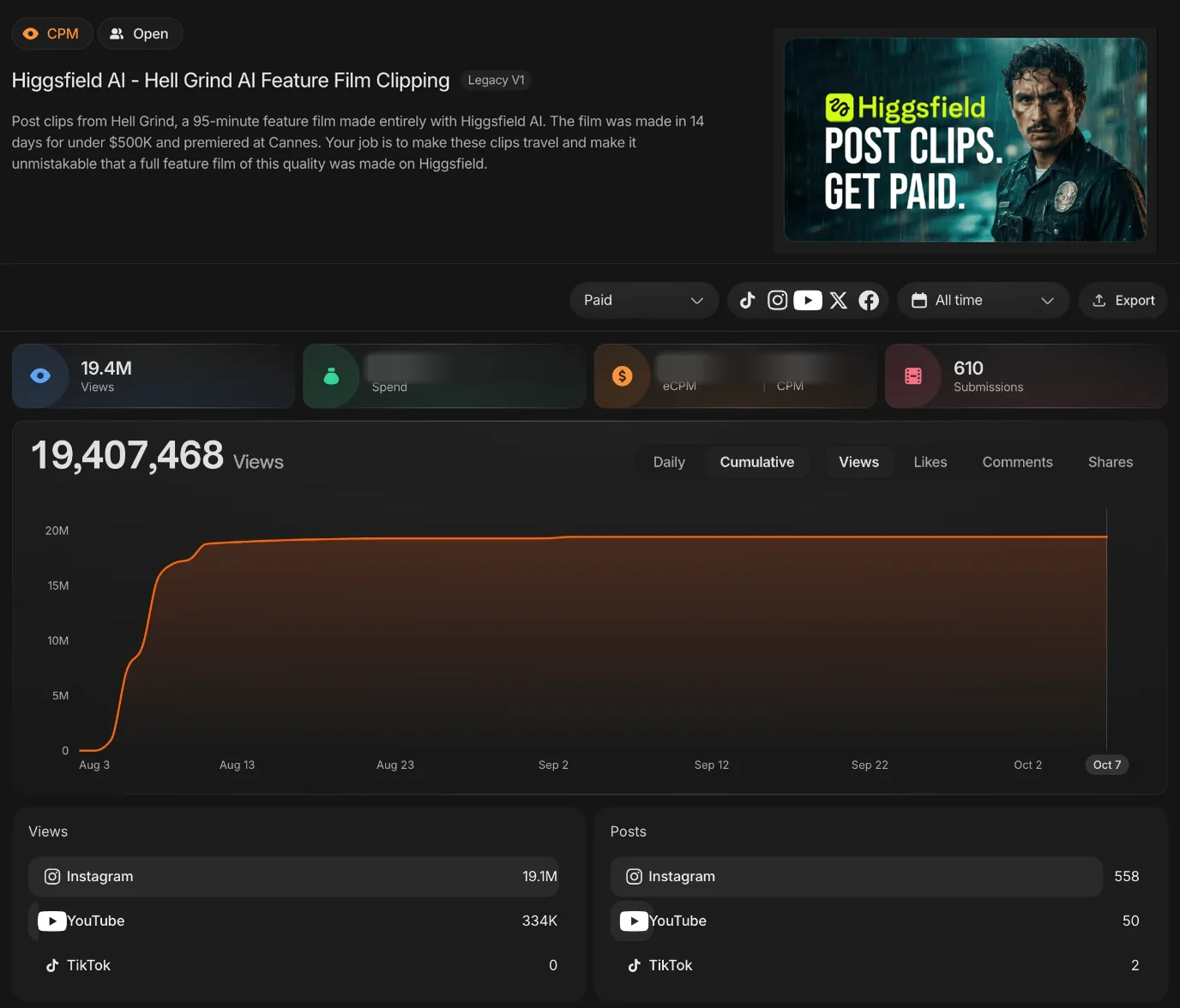
19.4M views from 610 posts on Instagram, YouTube and TikTok since August 3.
Higgsfield AI, Seedance 2.0 4K
7.3M views from 1,324 posts on YouTube, TikTok and Instagram since June 27.
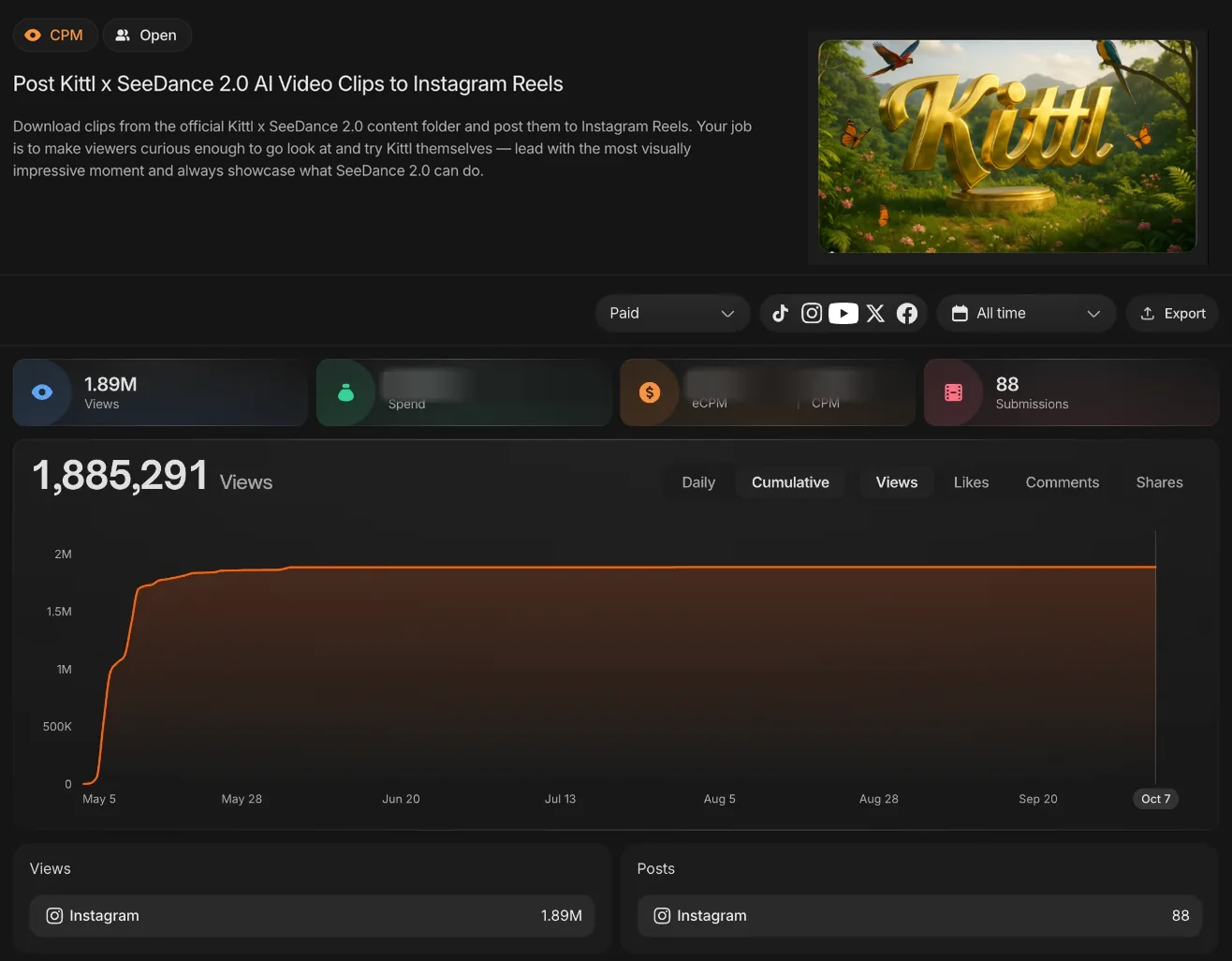
Kittl, AI video ads
1.9M views from 88 Instagram posts since May 5.
App and AI campaigns we ran, and what they delivered
An AI video platform, a consumer app and a design tool. Every card links to the full record behind its total.
An AI film and a design tool, posted by clippers
Both clips were cut from approved footage and posted from clippers’ own accounts. Each one counted only after review.
- Posted from creator accounts, not ad slots
- Captioned for the feed it runs in
- Reviewed before its views count
AI film launch
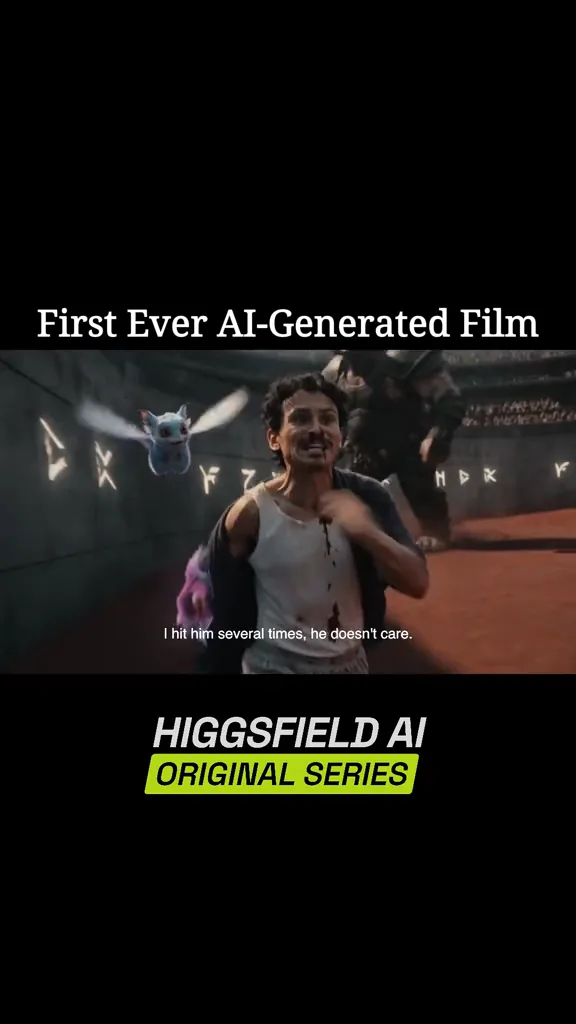
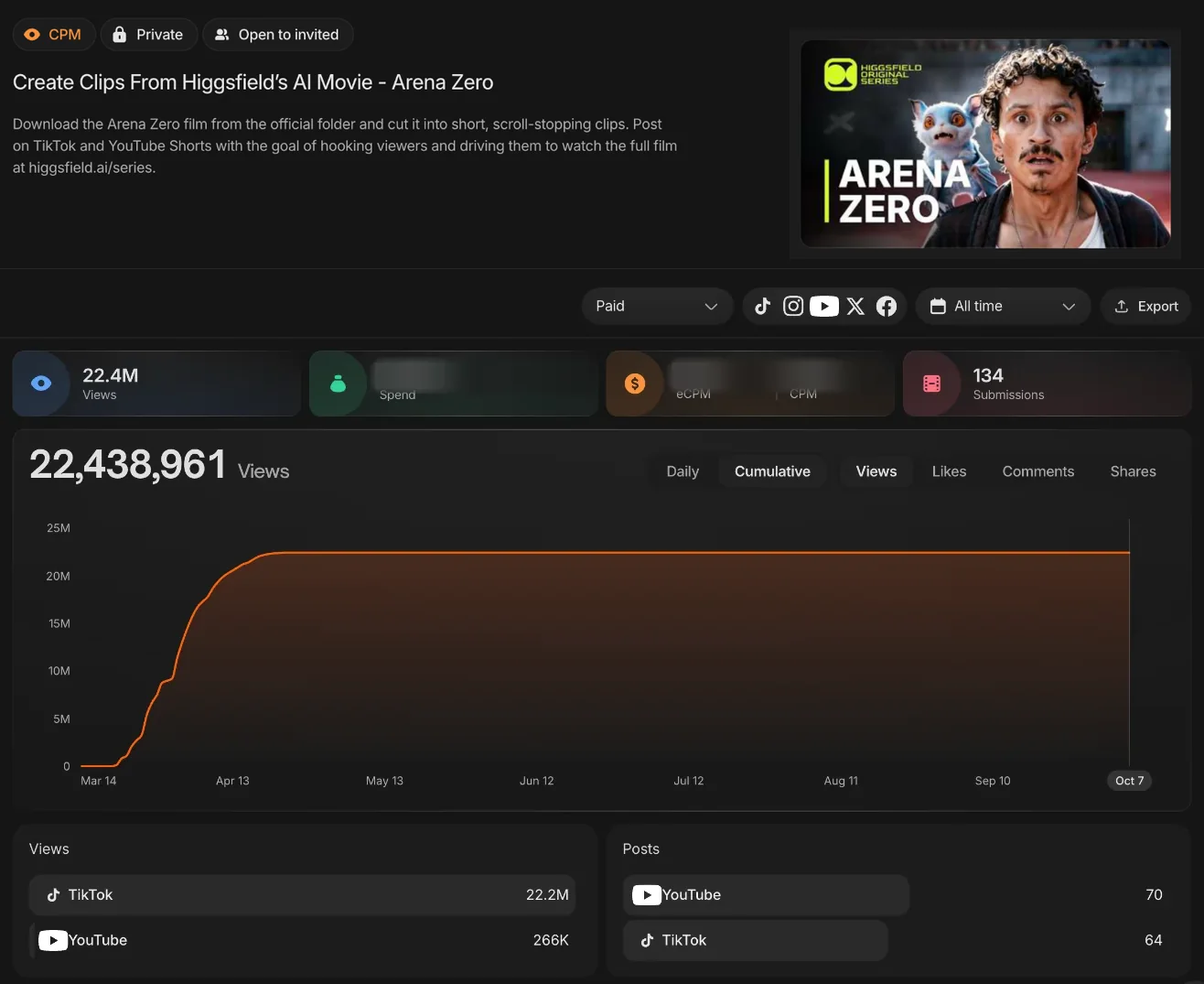
Higgsfield AI, Arena Zero, 12.8M views on TikTok
Brand campaign
Kittl, AI video ads, 83.4K views on Instagram
Why apps grow through clips
Show the product, not an ad for it
An app ad is one creative tested in an auction. A clipping campaign puts hundreds of separate demos, outputs and reactions into the feed, posted by clippers from a network of hundreds of thousands. For an AI product, the output is often the clip: a video, an image or an answer that people stop to watch.
Best fit: a product you can show in seconds
The best fit is an app whose value is visible on screen fast: a generator, a scanner, a design tool, a game-like consumer app. Launches, feature drops and always-on growth all work when there is enough approved footage and clear rules about claims.
What the market data says
- Sensor Tower reported that generative AI app downloads doubled year over year to reach 3.8 billion in 2025 (Sensor Tower, Jan 2026). A crowded category rewards products people have already seen.
- AppsFlyer’s 2025 Performance Index ranked TikTok for Business third among media sources in Android non-gaming, based on 16.2 billion non-organic installs from 39,000 apps (AppsFlyer, Dec 2025).
- Duolingo told shareholders that daily active users grew 36% year over year in Q3 2025, and that growth was slightly slower than in Q2 in part because it posted less “unhinged” content on its English-speaking social accounts (Duolingo Q3 2025 shareholder letter, SEC). Short-form social is a growth input that public app companies report on.
Which app campaigns work best
Products clip well when their value shows on screen in a few seconds. These are the app formats our campaigns have run on.
- AI video. Higgsfield AI’s campaigns reached 94.3M views from 3,289 posts across 10 campaigns.
- Consumer apps. Cheater Scanner reached 24.3M views from 322 posts on Instagram and TikTok since March 12.
- Design tools. Kittl’s AI video ad campaign reached 1.9M views from 88 Instagram posts since May 5.
- Feature launches. Higgsfield AI’s Seedance 2.0 4K clips reached 7.3M views from 1,324 posts on YouTube, TikTok and Instagram since June 27.
What to give clippers, and what they may say
The footage folder decides what the feed sees. The strongest app campaigns give clippers outputs made with the product, short screen recordings of one task from start to finish, and any founder or team footage that explains why the product exists.
- Outputs: videos, images or results made with the product, cleared for use.
- Screen recordings: one task, start to finish, without private user data on screen.
- Claim rules: which features, prices and results clippers may mention, and which they may not.
Key takeaways
- Clippers post demos and outputs from approved footage, from their own accounts.
- AI products, consumer apps and software tools all fit.
- Every submission is reviewed before its views count.
- Pricing is based on the verified-view target, not on clip count.
How an app clipping campaign works, step by step
01. Approve the footage
The campaign starts with the footage clippers may use, the claims they may make, the platforms and the number of verified views you want.
- Share screen recordings, outputs and demos
- Set rules for claims, pricing mentions and links
- Set the number of verified views you want
02. Clippers cut and post demos
Participating clippers choose the outputs and moments that show the product, cut them for the platform and post them from their own accounts within the guidelines.
- Outputs and demos cut as standalone clips
- Captioned for TikTok, Reels or YouTube Shorts
- Published posts are submitted for review
03. Verify and report
Clipping Culture reviews submitted posts, verifies views that count and reports delivery against the campaign target.
- Review submissions against the guidelines
- Verify eligible views
- Report progress against the target
How pay-per-view pricing works
Pricing is based solely on the number of verified views you want. Verified views typically cost about $1.50 per 1,000, and managed campaigns start at $15,000. Most campaigns are scoped to a custom view target, so the budget rows on the pricing page are for illustration.
Who app clipping is for
- AI products whose outputs are worth watching on their own.
- Consumer apps with a result people can see on screen.
- Software and design tools with a launch or a feature drop.
- Teams that want a review of every post and verified-view reporting.
When this is the wrong service
This is not the right fit when:
- The product cannot be shown on screen in a few seconds.
- Every post needs legal sign-off before it goes live.
- The goal is only installs at a fixed cost per install.
If the only goal is installs at a fixed price, app install ads are built for that. If you need edits for your own channels, see our short-form editing service.
What to look for in app proof
Strong proof shows what footage was distributed and the results recorded for the campaign.
- Look for named products with view counts and a campaign dashboard.
- Check that results come from many separate posts, not one viral clip.
- Check how submissions are reviewed before views count.
- Ask what the campaign did for installs, sign-ups or branded search, not only views.
Read how AI and SaaS brands use TikTok distribution, explore our clipping and editing services, or get in touch to plan a launch campaign.
App clipping vs app install ads vs influencer posts
The difference is how many separate posts reach the feed, who posts them and how delivery is reported.
| Evaluation area | App install adsAd creatives bought on cost per install or impression. | Influencer postsPaid posts from a few selected creators. | Clipping CultureManaged distribution through the clipper network. |
|---|---|---|---|
| What reaches the feed | A set of install ad creatives, rotated and tested. | A few sponsored posts from selected creators. | Hundreds of separate demos and outputs, each posted as its own clip. |
| Who posts | Ad placements, labelled as sponsored. | The sponsored creators, from their accounts. | Participating clippers, from their own accounts. |
| Review | Ad review by the platform. | Your team approves each sponsored post. | Every submission is reviewed against the campaign rules before its views count. |
| Reporting | Impressions, installs and cost per install. | Views and clicks reported by each creator. | Eligible views verified and reported against the target. |
A managed campaign combines approved footage, clipper-created posts, a review of every post and verified reporting.
Trusted by brands, studios and labels
Logos we are cleared to show, with the published result wherever a case study exists.




Backed by published numbers
Each figure comes from our own records: the published case studies, the Whop rating, and the typical cost per 1,000 verified views.
Clips across published case studies
$
Typical cost per 1,000 verified views
1–
Typical launch after the call
Whop rating from 2,300+ reviews
App Clipping FAQ
Common questions about footage, claims, pricing and launch timing.
What is an app clipping campaign?
Does it work for AI products?
What footage do clippers need?
Will views turn into installs or sign-ups?
How does pricing work?
How quickly can a campaign launch?
Put your product in the feed
Book a call to set the approved footage, the claim rules and the verified-view target. Most campaigns can launch 1 to 2 days after the call when footage, approvals and scope are clear.